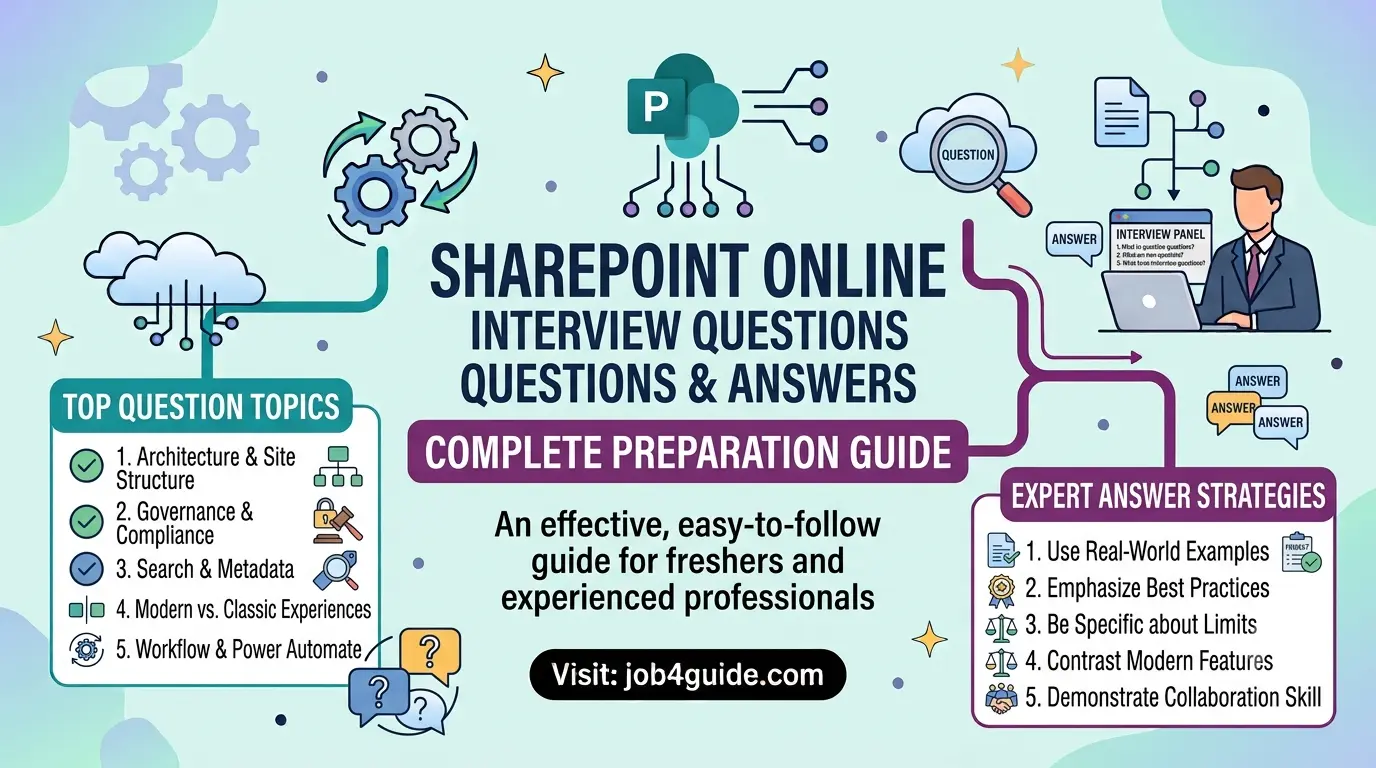
A effective, easy-to-follow guide for freshers and experienced professionals preparing for SharePoint Online interviews.
If you have a SharePoint Online interview coming up, you are in the right place. SharePoint Online is one of the most used tools inside Microsoft 365. Companies use it to store files, build intranet sites, and manage team work. Because so many businesses use it, jobs that need SharePoint skills are in high demand.
This guide covers real interview questions asked in 2026, from basic to advanced level. Each answer is written in plain, simple words so you can understand it fast and explain it in your own words during the interview. You will also find a comparison table, a quick roadmap, and a FAQ section at the end.
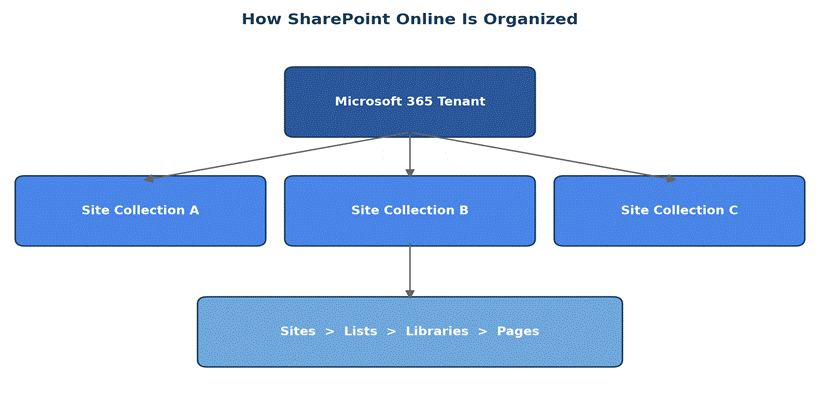
Figure 1: A simple view of how SharePoint Online is organized, from the Microsoft 365 tenant down to pages.
What Is SharePoint Online?
SharePoint Online is a cloud-based tool from Microsoft. It lets teams store documents, share files, build websites for their company, and work together on projects. It is part of Microsoft 365, so it works closely with Teams, Outlook, and OneDrive.
Unlike the older SharePoint Server, SharePoint Online does not need you to buy or manage any hardware. Microsoft looks after the servers, the updates, and the security. You just log in and start working.
A Quick Roadmap Before You Start
It helps to prepare in stages instead of reading random questions. Here is a simple order to follow.
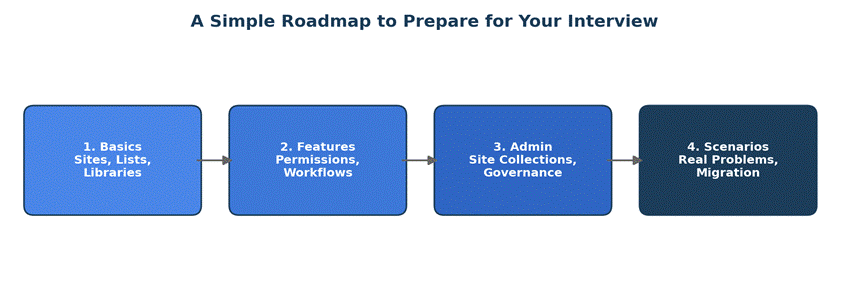
Figure 2: Follow this order — basics, features, admin, then scenario questions.
Beginner Level Questions and Answers
These questions check if you know the basic building blocks of SharePoint Online. Most freshers and site users get asked these first.
1. What is a site collection in SharePoint Online?
A site collection is a group of related sites that share the same settings, such as permissions and storage space. Every site collection has one top-level site and can have many sub-sites under it.
2. What is the difference between a list and a library in SharePoint?
A list stores items of information, like a table of tasks or contacts. A library stores files, such as Word documents, PDFs, or images. Both can have columns, views, and version history, but a library always holds actual files.
3. What is a SharePoint site?
A site is a working space inside SharePoint where a team stores files, shares news, and tracks tasks. There are two main types: Team Sites (for group work) and Communication Sites (for sharing news to a wider audience).
4. What is metadata in SharePoint?
Metadata is extra information added to a file or item, such as department, status, or due date. It helps people search and filter files faster instead of scrolling through long folders.
5. What is version history?
Version history keeps a copy of a file every time it is changed and saved. If someone makes a mistake, you can open an older version and restore it.
6. What are content types in SharePoint?
A content type is a reusable set of settings, columns, and rules you apply to a list or library item, such as an Invoice or a Contract. It keeps information consistent across many sites.
7. What is a web part?
A web part is a small building block you add to a SharePoint page, such as a news feed, a document list, or an image. Pages are built by placing many web parts together.
8. Can you explain SharePoint permission levels?
Permission levels decide what a person can do on a site. The three common levels are Read (view only), Contribute (view and edit), and Full Control (manage everything, including permissions).
SharePoint Online vs SharePoint On-Premises
Interviewers often ask you to explain this difference in your own words. Here is a simple side-by-side table you can remember easily.
| Point | SharePoint Online | SharePoint On-Premises |
| Where it lives | Hosted by Microsoft in the cloud | Hosted on your own company servers |
| Setup | Ready to use after sign up | Needs servers, install, and setup |
| Updates | Microsoft updates it automatically | IT team must update it by hand |
| Cost | Pay monthly per user (subscription) | Pay for hardware, licenses, and staff |
| Access | Open from anywhere with internet | Mostly limited to company network or VPN |
| Maintenance | Microsoft handles servers and backups | Your own IT team handles everything |
Intermediate Level Questions and Answers
These questions test how well you understand features that are used daily by site owners and power users.
9. What is a hub site in SharePoint Online?
A hub site connects several related sites together under one central site. This makes navigation, search, and branding consistent across all connected sites, such as sites for different regions of one company.
10. How do you restore a deleted file in SharePoint Online?
Deleted files first go to the site Recycle Bin, and stay there for 93 days. If needed, an admin can also check the Site Collection Recycle Bin, which holds files removed from the first bin for a longer period.
11. What is a Power Automate flow, and how does it connect to SharePoint?
Power Automate is a tool to automate repeated tasks, such as sending an email when a new file is added to a library. It connects directly to SharePoint lists and libraries without writing code.
12. What is the difference between a Team Site and a Communication Site?
A Team Site is built for a group to work together and share files daily. A Communication Site is built to broadcast news, reports, or updates to a large audience who mostly just read the content.
13. How does search work in SharePoint Online?
SharePoint search looks through file names, content inside files, and metadata across sites the user has access to. Search results are personalized, so people only see files they are allowed to open.
14. What are alerts in SharePoint?
Alerts send an email or notification when a file, list, or item changes. Users can set alerts on a single item or on a whole list or library.
15. What is co-authoring in SharePoint Online?
Co-authoring lets more than one person edit the same document at the same time. Changes appear live, so nobody needs to lock the file or wait their turn.
Advanced and Admin Level Questions and Answers
These questions are usually asked to SharePoint Administrators, IT professionals, and developers.
16. What is the SharePoint Online Admin Center used for?
It is the control panel where an admin manages site collections, storage, sharing settings, and user access across the whole company’s SharePoint environment.
17. What is PnP PowerShell, and why is it used?
PnP PowerShell is a set of commands that help admins and developers manage SharePoint Online faster, such as creating sites, uploading files in bulk, or setting permissions through scripts instead of clicking manually.
18. What is SPFx (SharePoint Framework)?
SPFx is a modern tool developers use to build custom web parts and extensions for SharePoint Online, using web languages like JavaScript, TypeScript, and React.
19. How do external sharing settings work?
External sharing controls whether people outside your company can view or edit files. Admins can turn this on or off at the whole tenant level, and again at the site level, for tighter control.
20. What is a retention policy in SharePoint Online?
A retention policy is a rule that decides how long content is kept before it is deleted or archived. Companies use this to follow legal or industry rules about data storage.
21. What is the difference between a site owner, member, and visitor?
A site owner has full control and can change settings. A member can add and edit content. A visitor can only view content and cannot make changes.
22. How do you migrate data to SharePoint Online?
Migration usually uses a tool such as SharePoint Migration Tool (SPMT) or third-party software. The process includes planning the site structure, mapping old folders to new libraries, testing with a small batch, and then moving the full data.
23. What is the difference between REST API and Microsoft Graph API in SharePoint?
REST API talks directly to one SharePoint site at a time. Microsoft Graph API is broader and can connect to SharePoint, Teams, Outlook, and other Microsoft 365 apps through one single set of endpoints.
Scenario-Based Questions
Employers like to check how you think, not just what you know. Here are common real-life situations you may be asked about.
24. A user says they cannot open a file that a colleague can open. What do you check first?
Start with permissions. Check if the user is part of the right group, then check if the file has unique permissions set separately from the rest of the library.
25. Your team’s SharePoint site is loading slowly. What could be the reason?
Common causes include too many items in one list view, large files or images on the page, too many web parts, or slow internet on the user’s side. You would check list size first, since large lists without indexing often cause slow loading.
26. A manager wants approval steps before a document is marked final. How would you set this up?
This can be built using a Power Automate approval flow linked to the document library. When a file is uploaded or changed, it triggers an approval request to the manager before the status changes to Final.
Tips to Do Well in Your Interview
A few small habits can make a big difference in how confident you sound.
- Practice explaining each answer out loud, not just in your head.
- Use simple, real examples from any project you have worked on, even a small one.
- If you do not know an answer, say what you do know instead of staying silent.
- Keep a demo SharePoint site (even a free trial) to show hands-on skills if asked.
- Read the job post first, and focus more on admin topics or developer topics based on the role.
Here is a short order to revise the night before your interview:
- Basic terms: site, list, library, permissions.
- One clear example of using Power Automate or a flow.
- The difference between SharePoint Online and On-Premises.
- Two or three admin-related terms, even in simple words.
- One scenario answer you can explain confidently.
Frequently Asked Questions (FAQ)
Is SharePoint Online hard to learn for an interview?
No. If you know the basics — sites, lists, libraries, and permissions — you can answer most starter questions with ease.
Do I need to know coding for a SharePoint Online interview?
Not always. Basic roles (site owner, power user) need little to no coding. Developer roles ask about SPFx, PnP, and REST APIs.
What is the best way to prepare in one week?
Spend two days on basics, two days on permissions and lists, two days on admin topics, and one day on mock questions.
Are PowerShell questions common in interviews?
Yes, mainly for admin and IT roles. Knowing simple commands like Connect-SPOService and Get-SPOSite is helpful.
What is the difference between SharePoint and Microsoft Teams?
Teams is a chat and meeting app built on top of SharePoint. Every Team has a SharePoint site behind it for storing files.
Final Thoughts
SharePoint Online interviews are not about memorizing every feature. They are about showing that you understand how teams use it to store files, manage work, and stay organized. Focus on the basics first, then move to admin and scenario questions once you feel steady.
Go through this list two or three times, say the answers out loud, and try them in a free SharePoint trial if you can. That small practice makes a real difference on interview day.