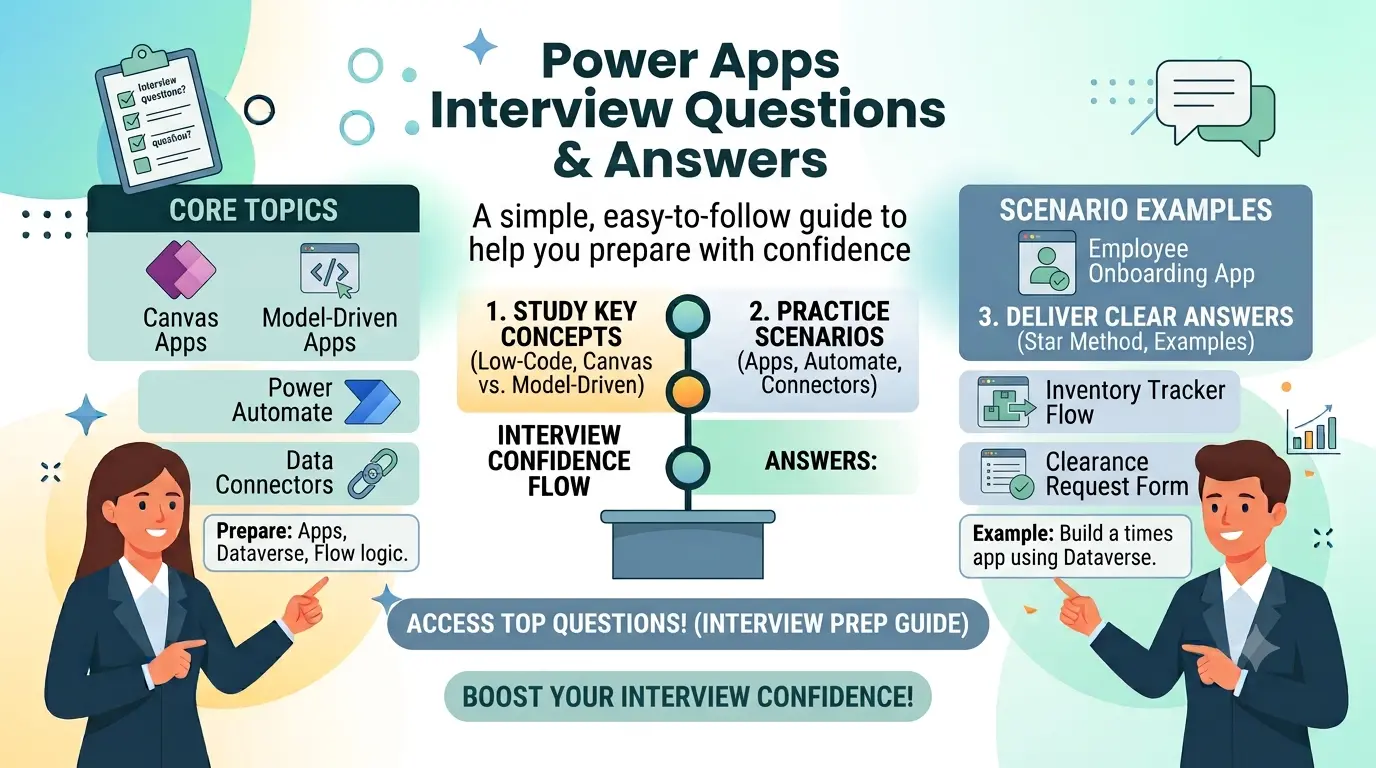
A simple, easy-to-follow guide to help you prepare with confidence
Power Apps is one of the most in-demand skills right now. More and more companies are moving away from slow, expensive custom software and building their own apps quickly using Power Apps instead. Because of this, jobs for Power Apps developers, business analysts, and consultants keep growing every year, and interviewers are asking sharper questions than before.
This guide covers the questions you are most likely to face in a 2026 Power Apps interview, from the basics to more advanced topics. Each answer is written in plain, simple language so you can understand it and explain it in your own words during the actual interview, instead of memorizing it word for word.
What Is Power Apps? (A Quick Refresher)
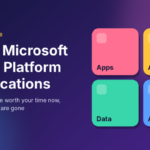
Power Apps is part of the Microsoft Power Platform. It lets business users and developers build apps using drag-and-drop tools instead of writing thousands of lines of code. You can connect it to many data sources like Excel, SharePoint, SQL Server, or Dataverse, and build an app that runs on a phone, tablet, or web browser.
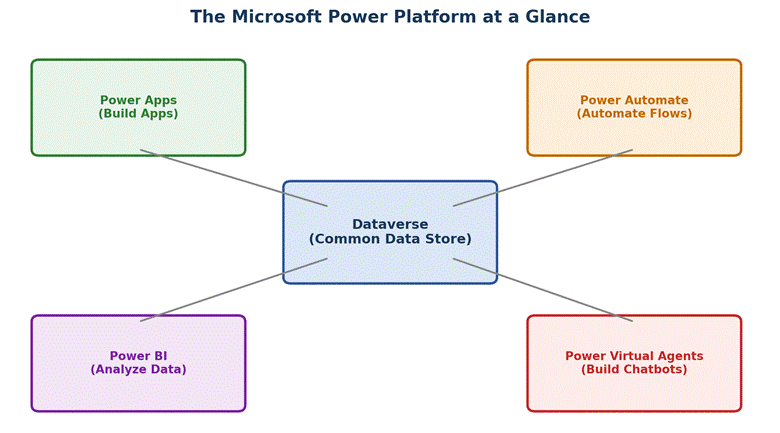
Figure 1: How Power Apps fits with the rest of the Power Platform
Power Apps vs. Other Power Platform Tools
Interviewers often ask you to tell the tools apart. Here is a simple comparison:
| Tool | Main Purpose | Best Used For |
| Power Apps | Build custom business apps with little or no code | Data entry apps, internal tools, forms |
| Power Automate | Automate repeated tasks and workflows | Approvals, notifications, file transfers |
| Power BI | Turn data into visual reports and dashboards | Business reports, KPI tracking, analytics |
| Power Virtual Agents | Build chatbots without writing code | Customer support bots, FAQ bots |
How to Prepare Before Your Interview
A little planning goes a long way. Before your interview, try to:
- Build one small practice app on your own, even if it is just a simple to-do list.
- Practice explaining Power Fx formulas out loud, not just reading them silently.
- Review the difference between Canvas apps, Model-driven apps, and Power Pages.
- Refresh your understanding of Dataverse tables and security roles.
- Prepare one real example from your past work or practice project to talk about.
Basic Power Apps Interview Questions and Answers
These questions check if you understand the core ideas behind Power Apps.
What is Microsoft Power Apps?
Power Apps is a tool from Microsoft that lets you build business apps without writing a lot of code. You can create apps that collect data, show reports, or automate small tasks. It is part of the Power Platform, along with Power Automate, Power BI, and Power Virtual Agents.
What are the different types of apps you can build in Power Apps?
There are three main types: Canvas apps, where you design each screen yourself; Model-driven apps, where the layout is created automatically from your data; and Power Pages, which are websites that outside users can visit without logging into your company system.
What is Dataverse and why is it important?
Dataverse is the main data storage system used by Power Apps. It stores your tables, rows, and relationships in one safe place. Instead of connecting to many different files, most apps connect to Dataverse so data stays clean, secure, and easy to manage.
What is the difference between a Canvas app and a Model-driven app?
A Canvas app gives you full control over how the screen looks, similar to designing a slide in PowerPoint. A Model-driven app is built mostly from your data structure, so the screens look more standard but are faster to build for complex data.
What is a connector in Power Apps?
A connector is a bridge that lets your app talk to other systems, such as SharePoint, Excel, Outlook, or SQL Server. Power Apps has hundreds of ready-made connectors, so you do not need to write custom code to pull in outside data.
What is Power Fx?
Power Fx is the formula language used inside Power Apps. It looks a lot like Excel formulas, which makes it easy to learn. You use Power Fx to set what happens when a button is clicked, how data is shown, and how screens behave.
Can you build a mobile app using Power Apps?
Yes. Apps built in Power Apps automatically work on phones, tablets, and web browsers. You do not need to write separate code for each device, though you should still test how the screen looks on smaller devices.
What licenses are needed to use Power Apps?
Power Apps offers per-app plans, per-user plans, and it also comes included in some Microsoft 365 plans with limited features. The right license depends on how many apps a person needs to use and how much data they need to connect to.
Intermediate Power Apps Interview Questions and Answers
These questions are common for candidates who already have some hands-on experience.
What is the Patch function used for?
Patch is used to create or update records in a data source without needing a form. For example, Patch(Employees, Defaults(Employees), {Name: “John”}) creates a new row in the Employees table with the name John.
What is the difference between Collect and ClearCollect?
Collect adds new rows to a collection but keeps the old rows too. ClearCollect first empties the collection and then adds the new rows. ClearCollect is often used when you want fresh data every time a screen loads.
How do you show or hide something on a screen based on a condition?
You use the Visible property of a control and set it to a formula, such as Visible: If(Toggle1.Value = true, true, false). This way, the control only appears when the condition is true.
What are variables in Power Apps and how many types are there?
Variables store small pieces of information while the app is running. There are three types: global variables, made with Set(), which work across the whole app; context variables, made with UpdateContext(), which work only on one screen; and collections, which store many rows of data.
How do you connect Power Apps to SharePoint?
You add SharePoint as a data source from the Data panel, choose the site and the list you want, and Power Apps will automatically read the columns. You can then use that list in galleries, forms, and formulas just like any other data source.
What is delegation in Power Apps, and why does it matter?
Delegation means letting the data source, not the app, do the heavy work of filtering and sorting large amounts of data. If a formula cannot be delegated, Power Apps only processes a limited number of rows, often 500 by default, which can lead to missing results.
How can you improve the performance of a Power Apps app?
Some common ways are: reduce the number of controls on one screen, avoid loading all data at once, use delayed loading for galleries, remove unused data connections, and use collections to store data locally instead of calling the data source repeatedly.
Quick Reference: Types of Power Apps
| App Type | How It Works | Good Example |
| Canvas App | You design the screen freely, like placing items on a blank page | An expense report app with a custom layout |
| Model-Driven App | Layout is built by Microsoft based on your data model | A sales tracking app with many linked records |
| Power Pages (Portal) | A public-facing website connected to your data | A customer self-service portal |
Advanced Power Apps Interview Questions and Answers
These questions are usually asked for senior developer, architect, or consultant roles.
What is a Power Apps component library?
A component library is a reusable set of custom controls that you can share across many apps. Instead of building the same button or header again in every app, you build it once in a component library and reuse it everywhere.
How do you handle error checking in Power Apps?
You can use the IfError() and IsError() functions to catch problems in a formula and show a friendly message instead of letting the app break. Notify() is often used together with these functions to display the error to the user.
What is the difference between a Model-driven app and Dynamics 365?
Dynamics 365 apps are actually built using the same Model-driven app technology inside Power Apps. Dynamics 365 comes with ready-made business logic for sales, service, or finance, while a Model-driven app you build yourself starts empty and is shaped around your own data.
How does security work in Power Apps?
Security is mainly managed through Dataverse security roles, which control who can see, edit, or delete records. Environments also have their own access controls, and apps can be shared with specific users, security groups, or entire teams.
What is an environment in Power Apps?
An environment is a separate space that holds your apps, data, and connections. Companies often use different environments for development, testing, and production so that changes can be tested safely before they reach real users.
How do Power Apps and Power Automate work together?
Power Apps handles the screen and user actions, while Power Automate handles background tasks, like sending an email, approving a request, or updating a record in another system. A button in Power Apps can trigger a Power Automate flow to do this extra work.
What are Application Lifecycle Management (ALM) practices in Power Apps?
ALM means managing how an app moves from build, to test, to release, in a controlled way. In Power Apps, this is often done using solutions, which package apps, flows, and tables together so they can be moved between environments safely using pipelines or manual export and import.
Common Mistakes Candidates Make in Power Apps Interviews
- Explaining formulas without mentioning why the formula is needed, not just what it does.
- Forgetting to mention delegation limits when talking about large data sets.
- Mixing up Canvas apps and Model-driven apps.
- Not being able to explain a real project, even a small personal one.
- Ignoring security and environment questions, which many interviewers care about a lot.
Frequently Asked Questions (FAQ)
Is Power Apps a good skill to learn in 2026?
Yes. More companies are using low-code tools to build apps faster and save money, so demand for people who know Power Apps keeps growing.
Do I need to know coding to learn Power Apps?
No, basic apps can be built without coding. But knowing some logic, like Excel formulas or basic programming ideas, makes learning Power Fx much easier.
How long does it take to learn Power Apps for an interview?
Most people can learn the basics in two to four weeks of regular practice, especially if they already know Excel or basic database concepts.
What is the salary range for a Power Apps developer?
Salary depends on country, experience, and company size, so it is best to check current listings on job sites like LinkedIn or Glassdoor for accurate numbers in your area.
Is Power Apps only for developers?
No. Business users, analysts, and IT teams all use Power Apps. It is designed so that people without a coding background can still build useful apps.
Final Thoughts
Power Apps interviews usually test three things: whether you understand the core ideas, whether you can explain how data flows through an app, and whether you have actually built something yourself. Go through this list, practice saying the answers out loud, and try to build one small app before your interview. That hands-on practice will help you sound confident and natural, not like you memorized a script.