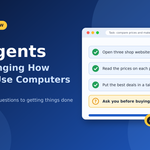
AI agents now click, type and finish tasks for you. Learn 5 simple facts about how they work, where they fail, and how to use them safely.
For about forty years, using a computer meant the same thing. You opened an app, clicked around, and did the work yourself. Then AI chatbots showed up, and even those didn’t change much. You asked a question, got an answer, and then you still had to go and do the job.
AI agents are starting to change that. An agent doesn’t just tell you what to do. It does it. It can open a website, fill in a form, compare prices, copy numbers into a sheet, and come back when it’s finished.
That sounds big, and in some ways it is. But it’s also messy, and a lot of what you read online skips the messy parts. So here are five things worth knowing about AI agents, based on what’s happening right now in late 2026. I’ve kept the words simple and tried to be honest about what works and what doesn’t.
What Is an AI Agent, in Plain Words?
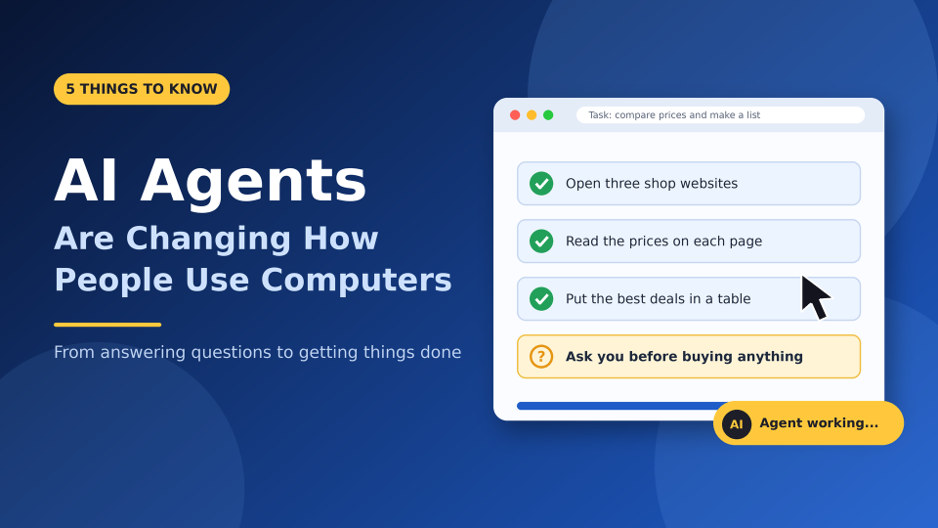
An AI agent is a program that uses AI to finish a task for you with very little help. You give it a goal, such as “find three train tickets under a set price and put them in a list.” It figures out the steps and then carries them out.
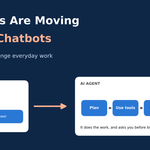
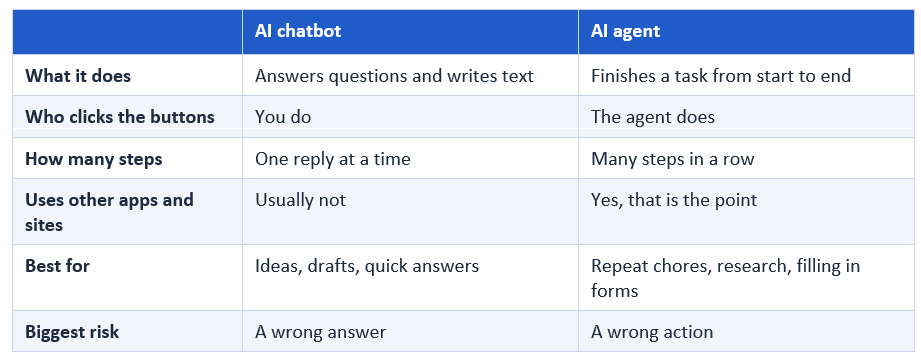
A chatbot waits for each question. An agent keeps going until the job is done, or until it gets stuck. Here is a quick side-by-side look.
1. Agents Do the Work, Not Just the Talking
The biggest change is simple. For decades, software waited for you. Now it can act for you. Business Standard recently reported that big tech firms are even redesigning chips and operating systems for this new world. Nvidia’s boss, Jensen Huang, expects agents to become some of the biggest users of computing power, and Qualcomm’s boss has called 2026 the year of agents.
You can already see this in daily life. Here are the jobs people use agents for most:
- Shopping research. A July 2026 survey by CI&T found that 74% of shoppers had already used an AI agent while shopping. The top uses were comparing brands (55%) and finding the lowest price (55%).
- Office chores. Moving numbers from email into a spreadsheet, or filling the same form again and again.
- Coding. Coding agents are often called the most mature kind of agent, because code is easy to test and check.
- Talking to companies. A Lorikeet survey from October 2026 found that two in three people are interested in an agent that deals with companies for them. At most 1 in 16 say it has actually happened to them yet.
That last gap matters. Many people like the idea. Very few have really tried it. We are early.
2. They Use a Computer the Same Way You Do
Here is the part that surprises many people. Most agents don’t need a special connection to each app. They look at the screen, just like you, and then move the mouse and type. This is often called computer use.
Anthropic started this trend in October 2024 when it released computer use for Claude. OpenAI added a similar tool for developers in March 2025, and Google followed with its own model in October 2025. By now it is a normal feature, not a science project.
Every agent runs the same simple loop:

- Look. The agent takes a picture of the screen, or reads the page.
- Think. It decides what the next step should be.
- Act. It clicks, types, or scrolls.
- Check. It looks again to see if the step worked, then repeats.
Why does this matter? Because a lot of useful software has no direct connection (programmers call this an API) that lets other programs talk to it. Old company tools and many websites are like this. An agent that can see the screen can still use them.
How good are they? One well-known test, called OSWorld, gives agents 369 real tasks on real computers. Regular people finish about 72% of them. Some 2026 guides report that top agents now score close to that. But companies test in different ways, so I’d treat any single number with care.
3. Websites and Apps Are Starting to Change
When people use computers, they see pages. Agents don’t care about pretty pages. They want the facts and a button that works. That is pushing businesses to change.
One tech writer, pointing to Cloudflare’s data, notes that bots and agents now send more requests to websites than humans do. Adobe also measured that visits from AI tools to US shopping sites grew by 393% in the first three months of 2026 compared with a year before.
In India, interest is strong. Adobe’s 2026 report found that 60% of Indian consumers want to create a personal AI agent, the highest share in Asia Pacific. More than half (55%) would talk to a brand’s AI agent if offered, and 61% are fine with their agent dealing with a company’s human staff for them.
Here are the numbers from this article in one place:

The CI&T team put it well: agents aren’t replacing store websites, but they’re becoming the first place people look. For a business, that means being “agent-ready,” with clear prices, clean pages and no needless blocks. One report even described a restaurant platform that banned an agent and ended up stranding the real customer behind it.
4. They Still Make Mistakes, and They Can Be Slow
Now for the honest part. Agents aren’t magic. When an agent works through a screen, it is usually slower, costs more per task, and fails more often than a program with a direct connection. That’s why many real systems use a mix. They use the direct connection when there is one, and screen control only to fill the gaps.
People inside companies feel this too. In the Liferay survey, 42% of companies said better accuracy is what agents need most. Data privacy was the top worry overall.
What agents do well
- Repeat jobs with clear steps, like filling in the same form
- Gathering and comparing facts from many pages
- Writing first drafts of reports, emails and code
Where they still struggle
- Pages that change layout often, or pop up surprise windows
- Long jobs with many steps, where one small slip ruins the rest
- Anything that needs real judgment, like a legal or money decision
A simple rule helps here: let the agent do the first 90%, and you check the last 10%. That is where most mistakes hide.
5. Safety and Control Matter More Than Ever
A chatbot that is wrong gives you a bad answer. An agent that is wrong can send a bad email or click “buy.” That is a bigger problem, so safety needs more care.
The best-known risk is called prompt injection. It works like this. A web page, email or file has hidden text that says something like “ignore your owner and do this instead.” The agent reads it and may obey. OWASP, a group that tracks security risks, still ranks prompt injection at the top of its list for AI apps. Security writers also warn that it can’t be fully filtered out. It can only be limited by controlling what the agent is allowed to do.
Companies are behind on this. The Liferay survey found that only 24% have a company-wide AI policy, and only 25% measure the results with clear goals. People are moving faster than the rules.
Easy safety habits for everyday users
- Start small. Try low-risk jobs first, like research or making a list.
- Keep money and passwords out. Don’t give an agent your banking login.
- Ask it to stop before big steps. Payments, deletes and sends should need your OK.
- Use a separate account with limited access when you can.
- Read the activity log. Good agents show what they clicked. Skim it.
- Be careful with unknown pages. Hidden instructions often sit on sites you don’t trust.
How to Start Using AI Agents This Week
You don’t need to know how to code. Here is a simple way to begin:
- Pick one boring task. Something you do often and don’t enjoy, like comparing prices or sorting a list.
- Write the goal in plain words. Say what you want, what to avoid, and when to stop and ask you.
- Watch the first run. Stay and see how it works before you leave it alone.
- Check the result. Open two or three of the pages it used and see if the facts match.
- Add one more task. Grow slowly. Trust should be earned, even by software.
Frequently Asked Questions
What is the difference between an AI agent and a chatbot?
A chatbot answers questions one at a time. An AI agent takes a goal, plans the steps, and uses apps and websites to finish the job.
Are AI agents safe to use?
They can be, if you set limits. Keep them away from passwords and payments, ask them to pause before big actions, and check their work. No tool is risk-free yet.
Will AI agents take my job?
Agents are better at small, repeat tasks than at whole jobs. For now, they look more like a fast helper that needs a person to check the results. Jobs that are mostly repeat clicking will change the most.
Do I need to pay to use an AI agent?
Some tools offer free limits, and heavier use usually costs money. Plans change often, so check the current plans on the tool’s own website.
Final Thoughts
AI agents are changing how we use computers from “I do the clicking” to “I say what I want.” That is a real shift, and the surveys show that many people are already trying it.
But the tools are young. They make mistakes, they can be tricked, and most companies haven’t set clear rules yet. The smart move is neither to ignore agents nor to trust them blindly. Start small, stay in the loop, and let your trust grow as the tools prove themselves.
Similar Article
- Microsoft Fabric Real-Time Intelligence Tutorial: Build Real-Time Data Analytics Solutions
- Microsoft Fabric vs Power BI: Key Differences, Features, Pricing, and Which One to Choose
- Microsoft Fabric Dataflows Gen2 Tutorial for Beginners: A Simple Step-by-Step Guide
- Microsoft Power Apps Raises Data Row Limit to 10,000: What Developers Need to Know
- Power Apps Gets a New Pop-Out Formula Editor: Write Power Fx Formulas More Easily
- Microsoft Introduces PCF Coding-Agent Plugin v1.0.0 Preview in Power Platform Skills Repository
- AI Agents vs Chatbots: How They Change Everyday Work
- Power BI October 2026 Update: 7 Features You Should Know